ERP
Enterprise resource planning: the system that ties your jobs, your money and your people into one set of numbers.
- Who has one?
- Who’s looking for one?
- Who thinks they might need a better one?
Degrees
257 people left Auckland on a sightseeing flight to Antarctica and back.
A flight they had never flown
Auckland to McMurdo Sound and back: about 2,800 miles each way and 11 hours in the air.
Both pilots were experienced. Neither had flown this route before.
Two degrees
Someone changed the flight’s coordinates by two degrees. Nobody told the crew.
The autopilot now steered 28 miles (45 km) east of the briefed route. The actual track ran straight at Mount Erebus, an active volcano rising to 12,448 feet.
Lower, for a better view
The crew descended below the cloud so passengers could see the landscape. They leveled off around 1,500 feet.
White on white
Snow below, cloud above. With no shadows and no horizon, the slope ahead looked like flat ground.
From the cockpit, nothing looked wrong.
The alarm sounded six seconds before impact. The crew called for full power and began to climb.
Flight 901 struck the lower slopes of Mount Erebus.
A terrible tragedy brought on by a minor error. A matter of only a few degrees.
Source: Arthur Marcel, “Mount Erebus Plane Crash,” Ockham’s Razor, ABC Radio National, 2007.
Small errors. Same ending.
- 1°A cost posted to the wrong job.
- 1°A change order that never got billed.
- 1°Committed costs nobody can see.
- 1°A WIP schedule built on last month’s numbers.
At a 5% net margin, two points of margin you can’t see is 40% of your profit.
Five waypoints to a better ERP decision
Why
Visibility. You can’t steer what you can’t see.
When
The warning signs you’ve outgrown what you have.
What
The three legs that make an ERP work.
Ready?
Questions to answer before you shop.
How
Choosing an approach and a system.
How do you steer?
Gut feel
The wet thumb to the wind. How many of you run your business this way?
Dashboard
A tightly dialed set of controls and levers. How many of you run it this way?
Visibility
It lets you see, so you can steer the ship.
One data point is a keyhole. A limited point of view leads to myopia, and myopia leads to poor decisions. You need as many data points as you can get.
Hear the alarm while you can still climb
How many of these sound familiar?
- WIP isn’t ready until the 20th of the next month.
- Job margins surprise you at closeout.
- Your team spends hours reconciling spreadsheets.
- The bank or bonding company asks for numbers you can’t produce quickly.
- The real numbers live in one person’s head.
- You’re adding an entity, a location or a new line of work.
Two or more? You’re flying on gut feel, and it’s time to look at your instruments.
Three legs of the stool
Good data going in
- Bills
- POs
- Daily logs
- Budgets
- SOVs
- Invoices
- Hours
- Progress
- RFIs
- Submittals
- Project communications
- Change orders
- Photos
- Subcontracts
- Compliance docs
- Payroll
An architecture built to hold it
Spreadsheets and PDFs in SharePoint won’t cut it. They give you an incomplete picture, even with AI on top.
People who can read it
A qualified project controller and accounting team to aggregate and analyze it, not just a bookkeeper with tenure.
Take away any one leg and the stool falls.
Questions to answer first
- Do we have the right team to support the implementation?
- Do we have the right team to run it afterward?A powerful system in untrained hands is a liability.
- Who is the executive sponsor, and who makes the final calls?
- How will we train people and drive adoption?
- What data comes over, and what can we leave behind?
- Is our master data clean?Vendors, customers, cost codes and open jobs.
- Are our processes defined well enough to work without an ERP?More work by hand, but it has to work. Automate a bad process and you just do bad 💩 faster.
- Have we given ourselves enough time?This doesn’t happen overnight.
- Have we budgeted for all of it?Implementation, training, and backfill for the people pulled onto the project, not just licenses.
- When do we cut over?Avoid busy season. A fiscal year or quarter start is cleanest.
- What does success look like, and how will we measure it?
Best of breed or full stack?
Best of breed, then integrate
Pick the best tool for each job, then connect them.
- The strongest tool for each function: estimating, project management, payroll, accounting
- Field teams get software built for how they work
- Replace one piece without replacing everything
- Adopt and spend in phases
- Integrations to build, pay for and maintain, and they break
- Data lives in several places, so there’s no single source of truth
- Vendors, cost codes and jobs get set up twice and drift apart
- Cross-system reporting means manual stitching or a data warehouse
- Several vendors and contracts, and finger-pointing when something fails
Full stack
One platform runs accounting, projects, payroll and reporting.
- One database: job cost, billing and the GL agree without syncing
- Real-time reporting across departments
- One vendor, one login, one support line
- Fewer integrations to break, simpler security and permissions
- Some modules are weaker than the best standalone tool
- A bigger implementation, with more change at once
- Harder to switch away later
- Field users may find it less tailored to their work
- Often a higher license cost from day one
Most contractors land in between: a full-stack core for financials and job cost, with a few specialist tools connected at the edges.
What to look for
Check your coordinates before you take off
The errors that sink a construction business are small ones you can’t see. An ERP fixes that only when your data, your system and your people are all ready. Get ready before you shop.
Score your three legs from 1 to 5: data, system, people. Start with the lowest score.
What good looks like
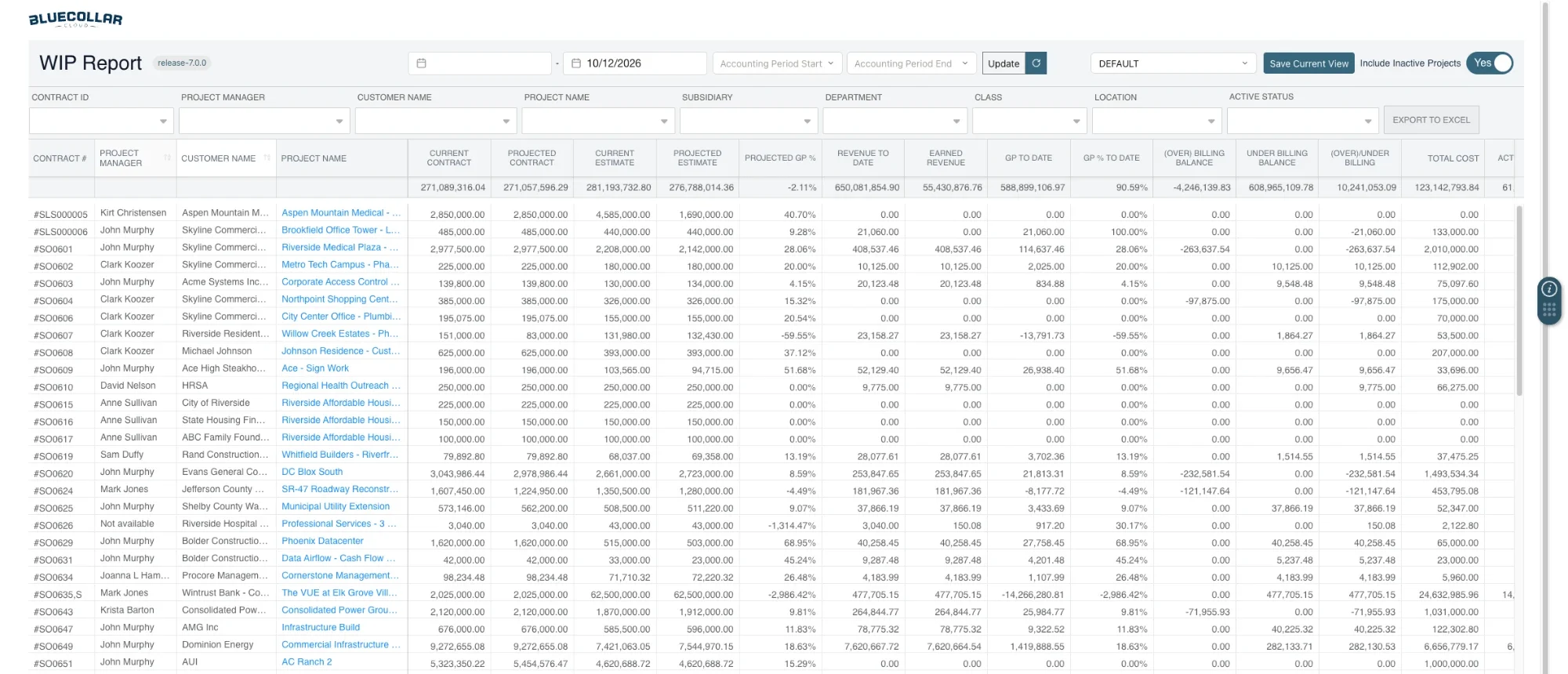
- WIP, liveOver and under billings for every job, as of any date. No waiting for the 20th.
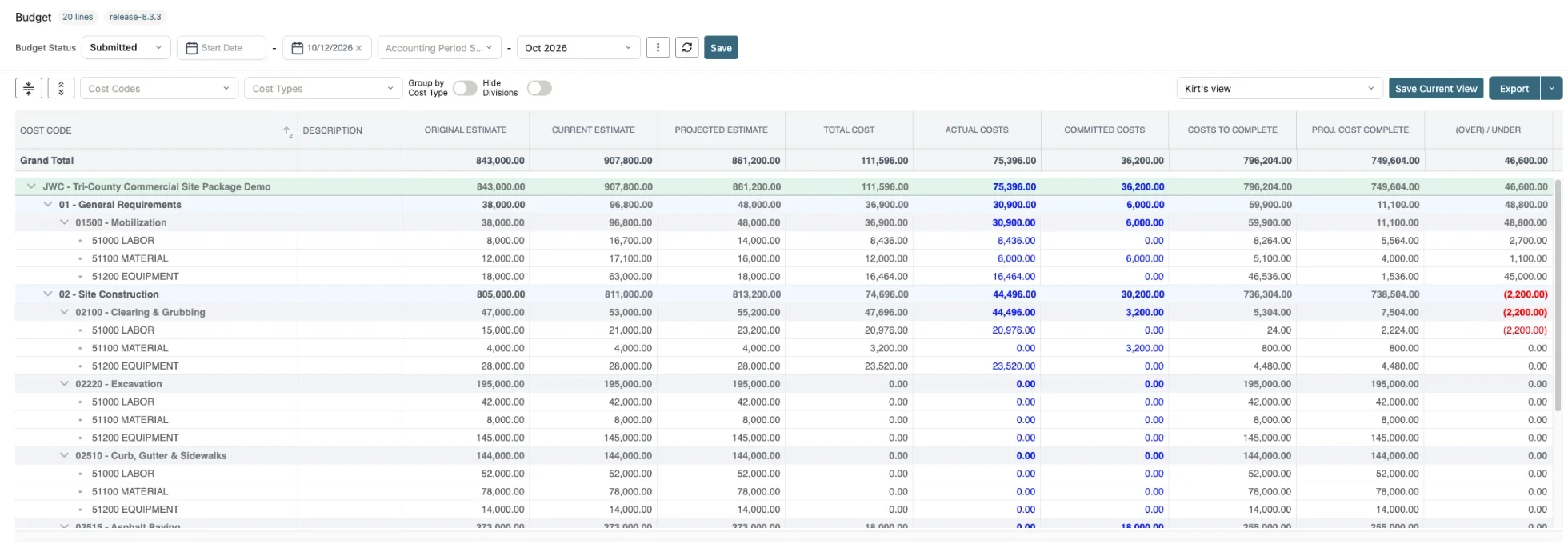
- Job cost by cost codeOriginal, current and projected estimates beside actual and committed costs.
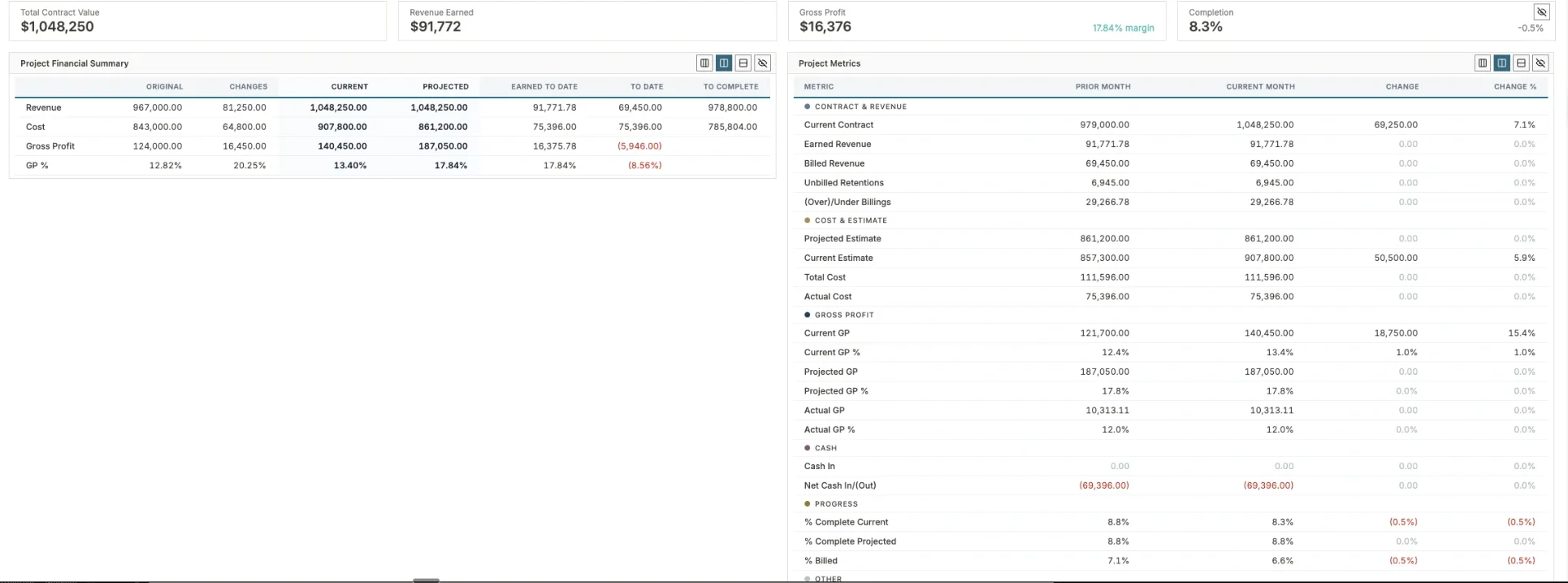
- Job health on one pageContract, earned revenue, gross profit and cash, with month-over-month change.
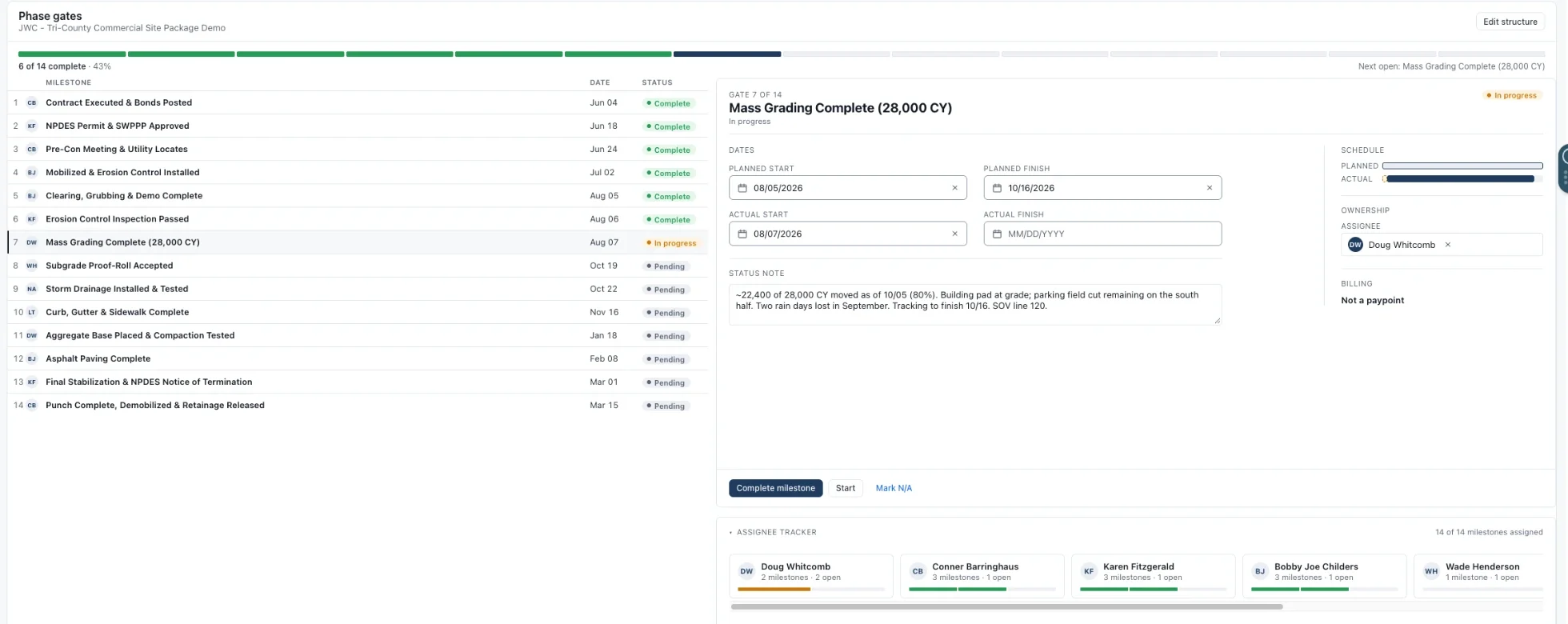
- Milestones with ownersPhase gates show who owns each milestone and what the field is reporting.
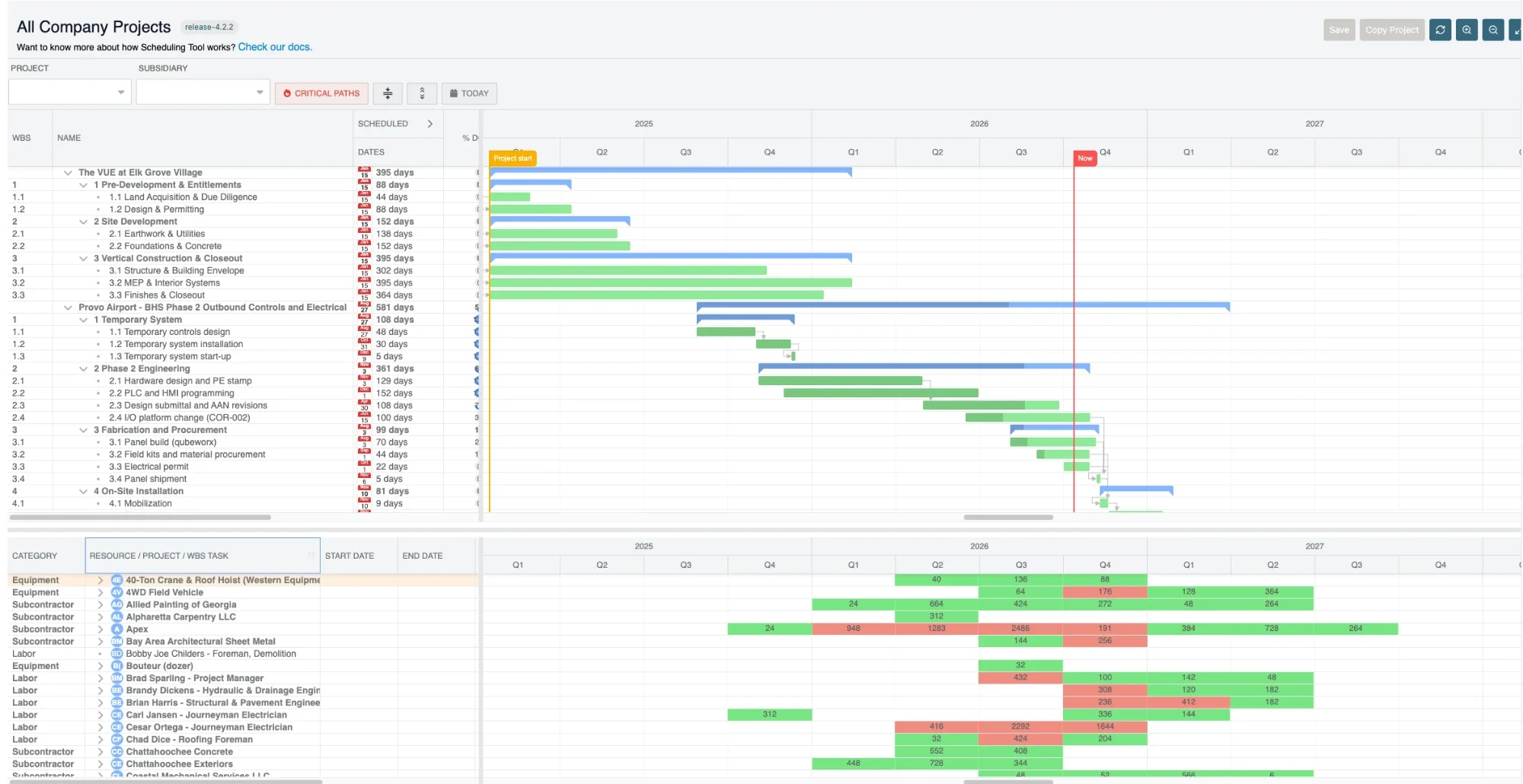
- One schedule for the companyEvery project and every crew on one timeline, with overloads in red.
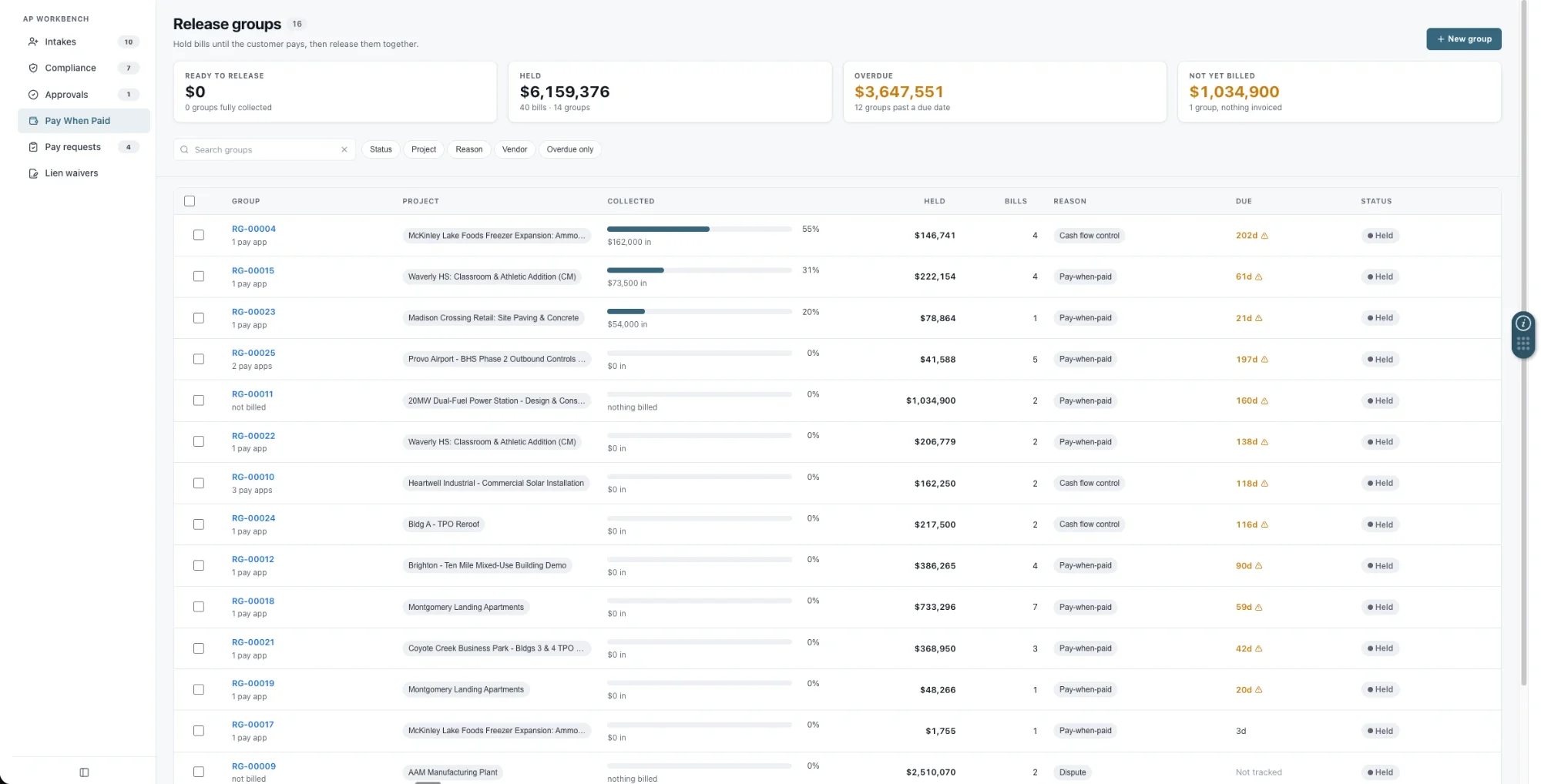
- Cash controlHold sub bills until the customer pays, then release them together.
Insightful, and a little overwhelming?
If all of this feels useful and overwhelming at the same time, you don’t have to work through it alone. Here’s where we can help.
NetSuite evaluation and implementation
Find out whether NetSuite fits your business, then get it live and built for construction.
BuildOps implementation and support
Set up right the first time, and supported after go-live.
Fractional controller support
A qualified controller on your team without a full-time hire.
Complete back-office financial outsourcing
We run your back-office finance for you, NetSuite included.